Classic: Media and applications

Pages 19, 20, 21, 22, 23, 24, 25 of 27 in the classic interface.

Media control, Teams, Outlook, PowerPoint, the browser, the debugger and app launching. Pages 19, 20, 21, 22, 23, 24, 25, classic interface.

19 Media 4×3

Media control: previous, play/pause, next, volume down, mute, volume up, stop, mail, file browser, and the system power, sleep and wake keys.
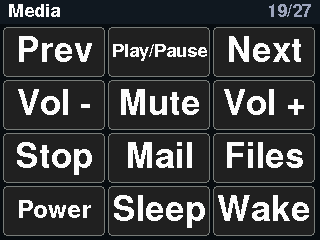
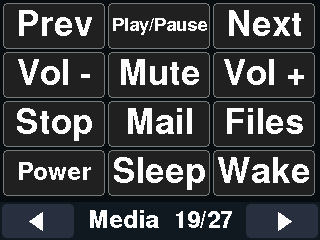
Core2 screenshot of the Media page, classic interface
Core2 · classic
CoreS3 screenshot of the Media page, classic interface
CoreS3 · classic

The same page in the LVGL interface

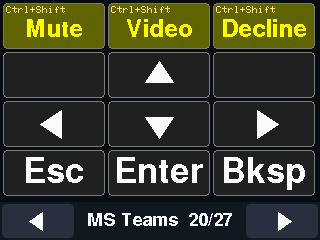
20 MS Teams 4×3

Microsoft Teams: mute, camera and hang up (Ctrl+Shift chords), arrows, Esc, Enter and Backspace.
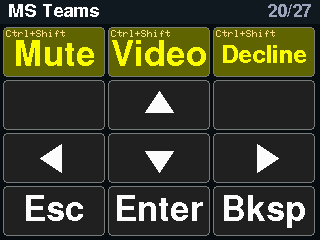
Core2 screenshot of the MS Teams page, classic interface
Core2 · classic
CoreS3 screenshot of the MS Teams page, classic interface
CoreS3 · classic

The same page in the LVGL interface

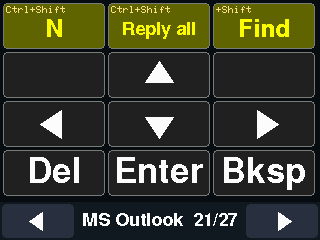
21 MS Outlook 4×3

Microsoft Outlook: new mail, reply all and find, arrows, Delete, Enter and Backspace.
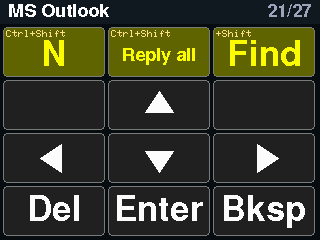
Core2 screenshot of the MS Outlook page, classic interface
Core2 · classic
CoreS3 screenshot of the MS Outlook page, classic interface
CoreS3 · classic

The same page in the LVGL interface

22 PowerPoint 4×3

PowerPoint: start the slideshow (F5), start from this slide (Shift+F5), Esc, arrows, Page Up/Down, Home and End.
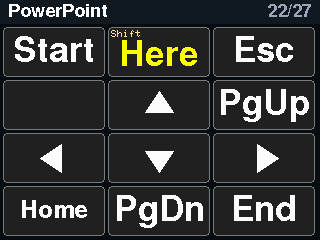
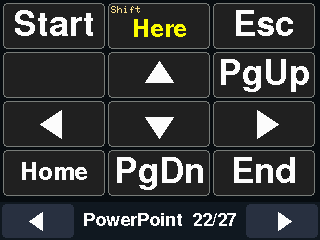
Core2 screenshot of the PowerPoint page, classic interface
Core2 · classic
CoreS3 screenshot of the PowerPoint page, classic interface
CoreS3 · classic

The same page in the LVGL interface

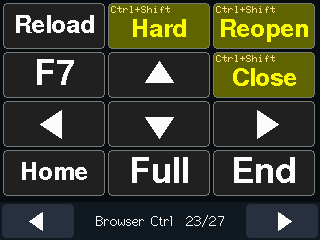
23 Browser Ctrl 4×3

Browser control: reload (F5), hard reload, reopen tab, F7, close tab, arrows, Home, End and full screen.
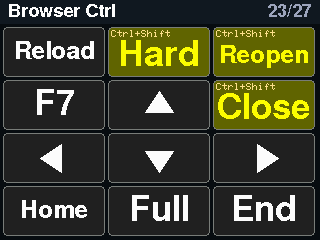
Core2 screenshot of the Browser Ctrl page, classic interface
Core2 · classic
CoreS3 screenshot of the Browser Ctrl page, classic interface
CoreS3 · classic

The same page in the LVGL interface

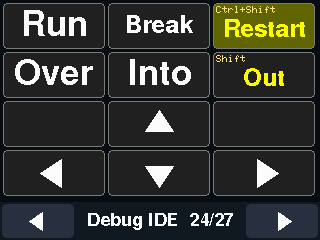
24 Debug IDE 4×3

Debugger keys for an IDE: run/continue (F5), breakpoint (F9), step over (F10), step into (F11), step out (Shift+F11), restart, and the arrows.
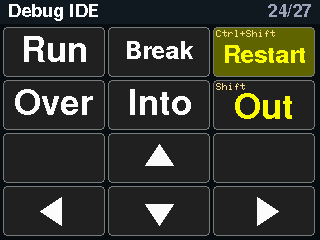
Core2 screenshot of the Debug IDE page, classic interface
Core2 · classic
CoreS3 screenshot of the Debug IDE page, classic interface
CoreS3 · classic

The same page in the LVGL interface

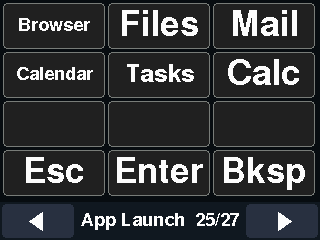
25 App Launch 4×3

Application launchers from the consumer-control page: browser, file manager, mail, calendar, task manager and calculator.
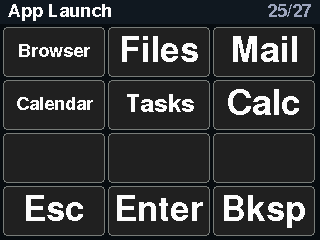
Core2 screenshot of the App Launch page, classic interface
Core2 · classic
CoreS3 screenshot of the App Launch page, classic interface
CoreS3 · classic

The same page in the LVGL interface